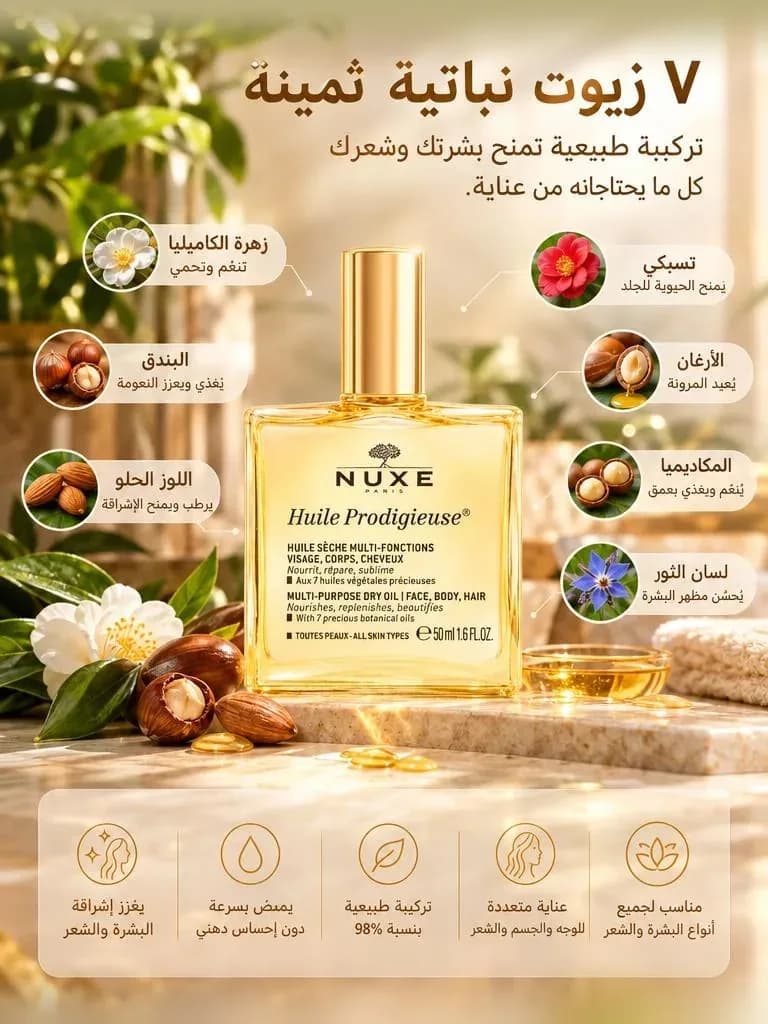
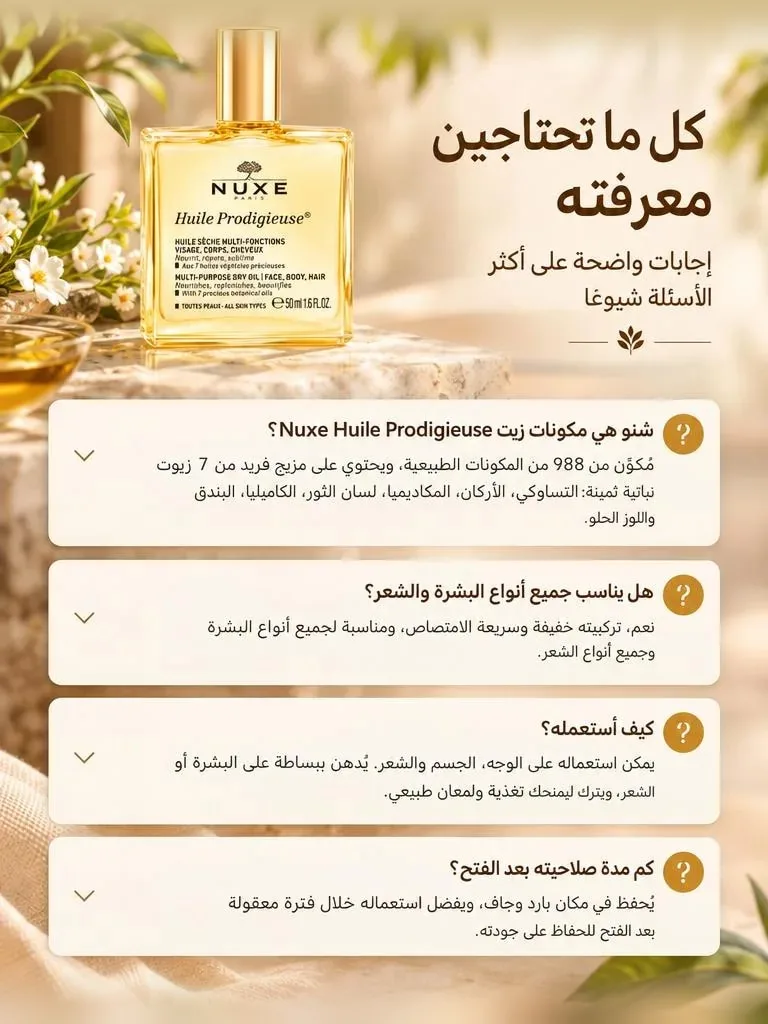
An AI landing page generator built from your product link.
Paste a product link and get a seven-section landing page, designed and written for you. Every section arrives as a high-resolution image with order buttons between them, ready to sell.
SymplysisAI's landing page generator reads a product link or photo and builds seven designed sections: hero, features, before and after, reviews, offer, FAQ and closing. Each section is delivered as a high-resolution image with order buttons between them, in right-to-left layout when the market needs it. Click Copy in SymplysisAI, then paste the page into the Shopify, YouCan or Lightfunnels editor, or download it and edit further.
How it works
1
Paste your product link
SymplysisAI reads the title, photos, price and claims from your product page or store.
2
Pick a market and angle
Choose the language or dialect and the selling angle the page should lead with.
3
Review the seven sections
Check the hero, offer, reviews and FAQ, and edit any section's text or image before you continue.
4
Copy, paste or download
Click Copy and paste the page into Shopify, YouCan or Lightfunnels, or download the images directly.
What's on a generated landing page?
Every page has the same seven sections: a hero, features, a before-and-after, reviews, an offer, an FAQ and a closing section. Order buttons sit between sections, and they can animate to draw the eye.
Hero
Features
Before / after
Reviews
Offer
FAQ
Closing
Built for a buyer who still needs convincing
The section order was shaped by buyers who want proof and answers before they hand over their address and phone number, which matters most when the sale is cash on delivery (COD) and there's no upfront payment to lock in their commitment.
Order buttons between every section link to your checkout, whether that's your SymplysisAI store's one-step COD order form or your existing checkout on Shopify, YouCan or Lightfunnels.
How it fits your existing store
Send a finished page straight to Shopify, as a product or a page, through the SymplysisAI Landing Pages app on the Shopify App Store, or to Lightfunnels once your account is linked in Settings. For YouCan, the Copy button puts the page on your clipboard to paste into the page editor. You can also download the section images and place them yourself.
Shopify
YouCan
Lightfunnels
Or download the section images
Right-to-left, from the same generator
Arabic and other right-to-left markets get a page that mirrors layout, not just translated text: buttons, icons and reading order flip correctly. Pick any of the 40 output languages per market, while your team keeps working in its own interface language.
Who builds pages here
Dropshippers use it to spin up a new page for every product they test. Store owners replace a slow designer-and-developer cycle with one page per launch. Agencies use it to keep page quality consistent across every client's product line.
Pricing in credits
A landing page costs 46 credits from your plan's shared credit pool. A full month of credits buys 9 pages on Lite, 19 on Starter, 54 on Growth or 103 on Pro, or fewer if you also spend credits on video, posters or voiceovers.
Landing pages
Questions and answers
Can I edit the page after it's generated?
Yes. The generated page is a starting point. Edit any section's headline, text, image or order button before you copy or download it, and regenerate a single section if you want another version.
Does it publish directly to my store?
Yes, on Shopify and Lightfunnels. Install the SymplysisAI Landing Pages app from the Shopify App Store and each page goes to your store as a product or a page, live or as a draft; link Lightfunnels in Settings to send pages there. For YouCan, copy the page and paste it into the page editor, or download the section images and upload them yourself.
Is the page really right-to-left, or just translated?
It's built right-to-left, not flipped after the fact. Arabic and other right-to-left markets get mirrored layout, icons and reading order, in whichever of the 40 output languages your market needs.
How many pages can I generate a month?
Landing pages are paid from your plan's shared credit pool. A full month of credits buys 9 pages on Lite, 19 on Starter, 54 on Growth or 103 on Pro, or fewer if you also spend credits on video, posters or voiceovers.
Do I own the pages I generate?
Yes. You own every page you generate and can use it commercially on your own store or funnel, with no attribution required. Edit it as much as you like before or after you copy it into Shopify, YouCan or Lightfunnels.
Can I use it with a cash-on-delivery order form?
Yes. Point the page's order buttons at your SymplysisAI store's one-step cash-on-delivery form, or at your existing checkout on Shopify, YouCan or Lightfunnels if that's where your store already runs.
Can I try it for free?
Yes: new accounts get 65 free credits with no card while the welcome offer runs. A landing page costs 46 credits, so the free credits cover your first full page. Plans start at $15 a month.